
Highlighted app functionality is outlined below. Please contact us with any questions or requests for additional information.
Handle Complex Sending Scenarios
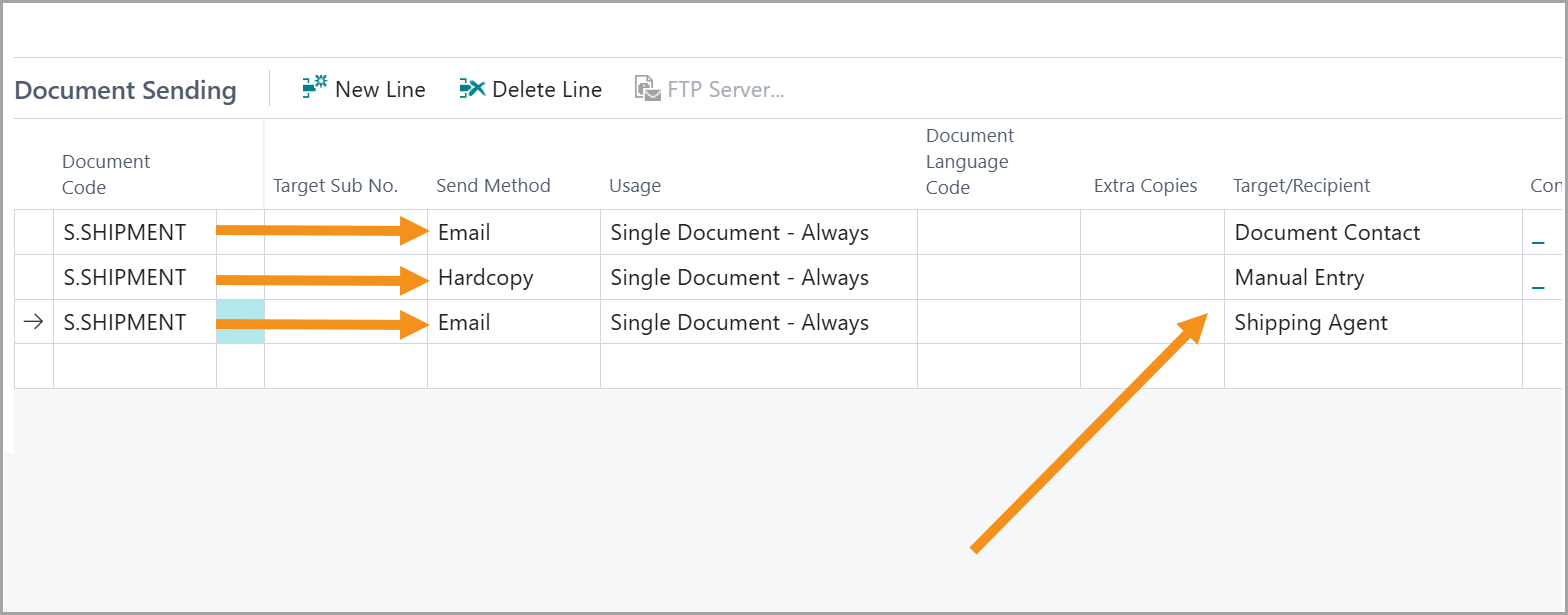
- Easily configure complex sending scenarios such as automatically sending a shipment notification email upon posting plus printing a hardcopy packing slip to the warehouse at the same time
- Configure different sending setups by Ship-to / Order Address
- Define message templates for various
- Route documents to email recipients using the Contact specified on the document (Contact integration)
- Configure specific documents to include BC attachments with the email
- Include multiple To, CC and BCC recipients
Support for Additional Sending Methods
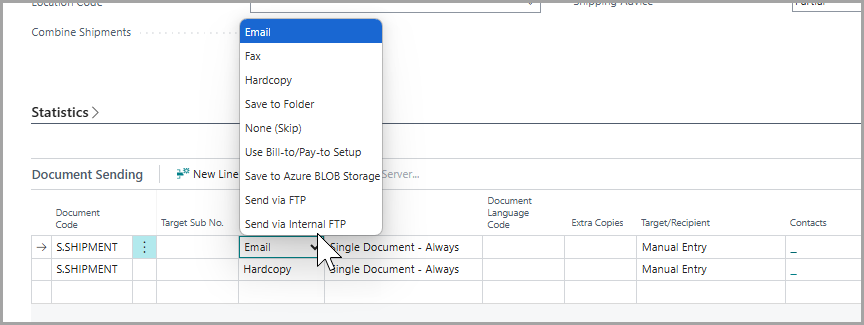
- Send documents using a range of methods/technologies:
- Fax
- Hardcopy
- Save to Network Folder
- Save to Azure BLOB Storage
- FTP
Powerful Message Templates
- Define multiple message templates per document for different languages and purposes, even customer-specific templates where unique content is required
- As an example, a message template can be defined for the initial send of a sales invoice, then additional payments with subject lines and wording for subsequent re-sends (eg. Follow up on an unpaid past due invoice)
- Different email templates by Language Code, with the ability to assign templates based on the Language Code for each individual document
- Full support for merge fields to personalize messages
Scheduled Background Sending
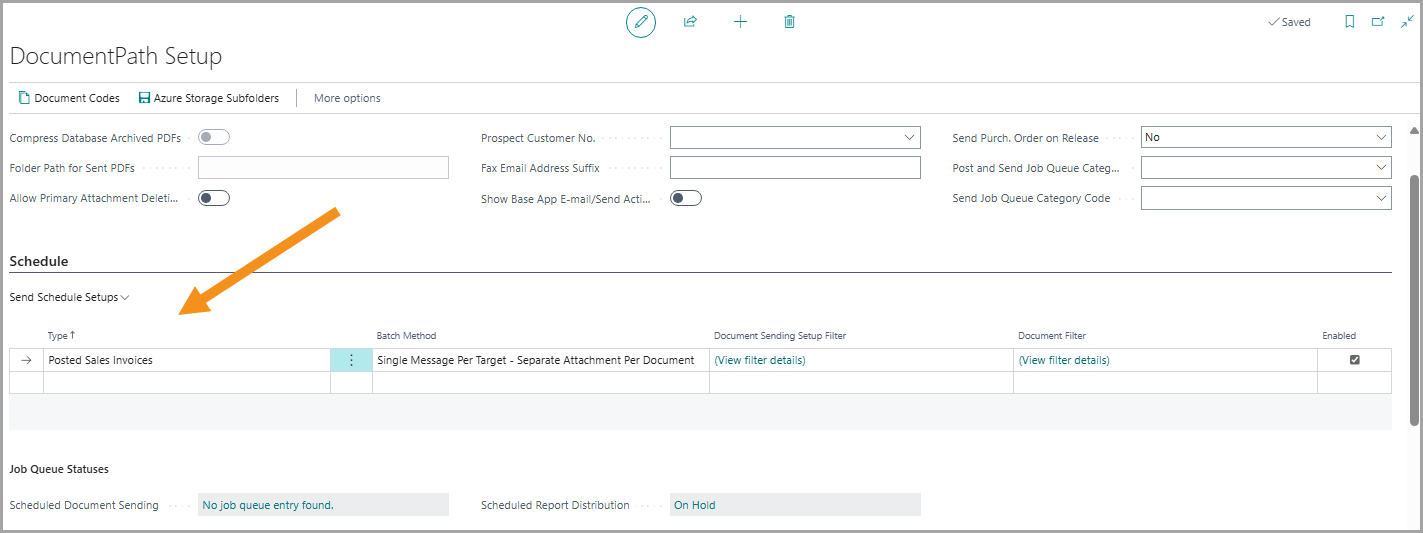
• Schedule documents to be sent automatically through the scheduler as job queue tasks
Statements and Reminders Including Invoice Copies
• Include open invoices with statements or issued reminders, eliminating replies requesting re-sends of invoices that may have been missed
Scheduled Report Distribution by Email
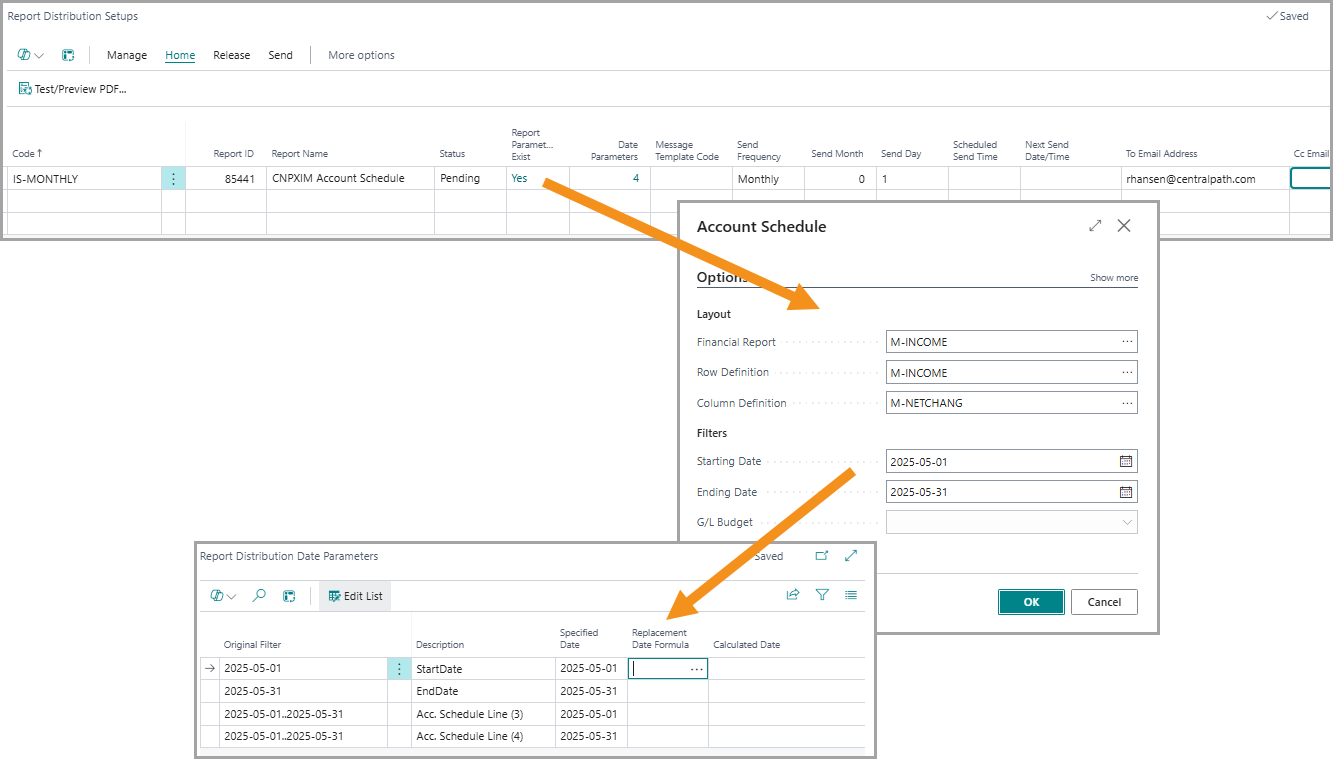
- Schedule Business Central reports (with defined filters/options) to be sent automatically to a list of recipients on a predefined interval (daily, weekly, monthly, etc.)
- This facilitates the automatic distribution of Financial Reports to a management group or outside people on a defined schedule
- Any report within Business Central can be scheduled for sending