

Highlighted app functionality is outlined below. Please contact us with any questions or requests for additional information.
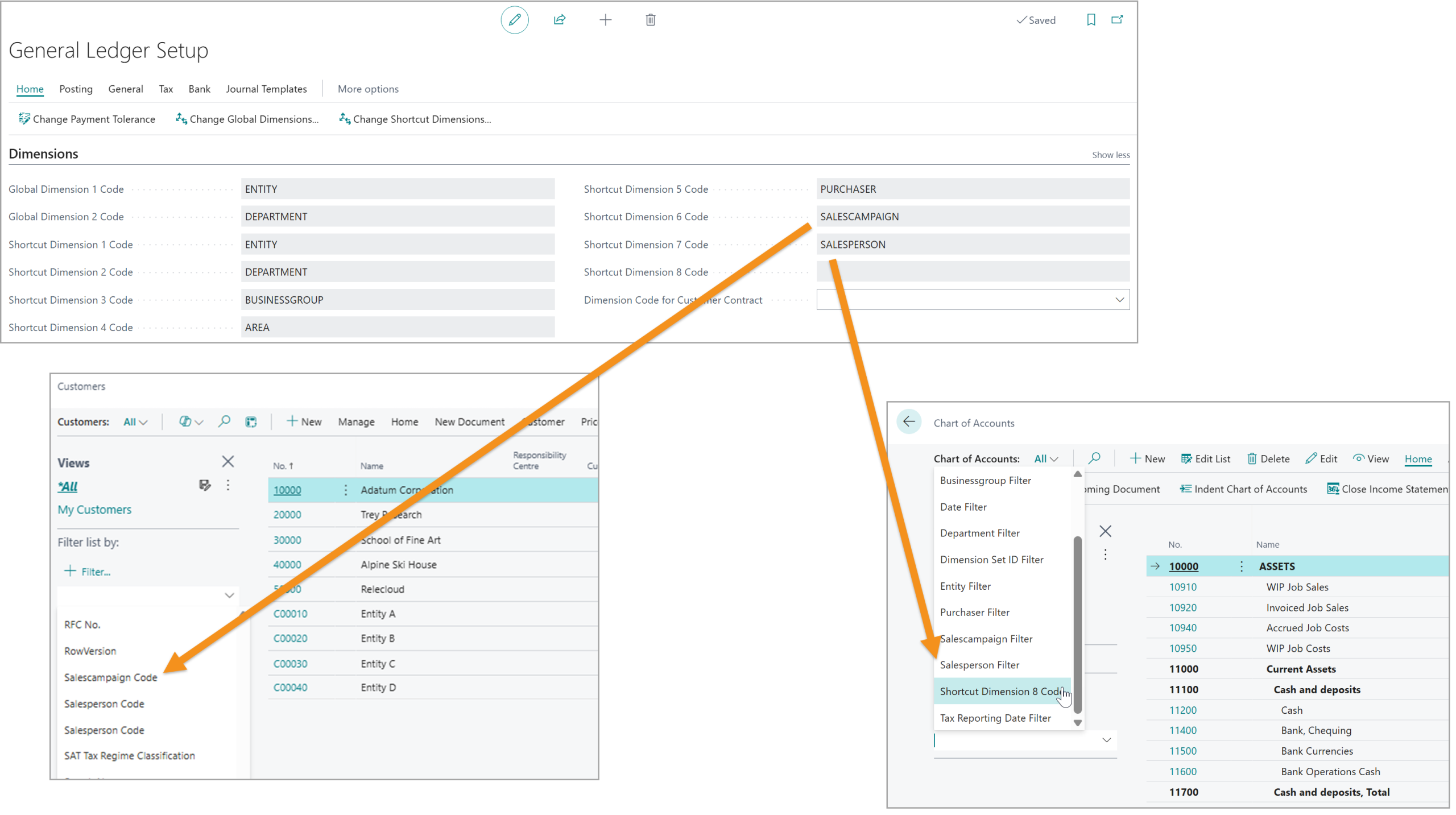
8 Global Dimensions
- DimensionPath makes shortcut dimensions 3-8 behave like global dimensions, so they are readily available for filtering across the application
This includes updates to Financial Reports so that the 8 specified dimensions are directly available for row/column filters and filtering results with no need for analysis views
Dimension Relations
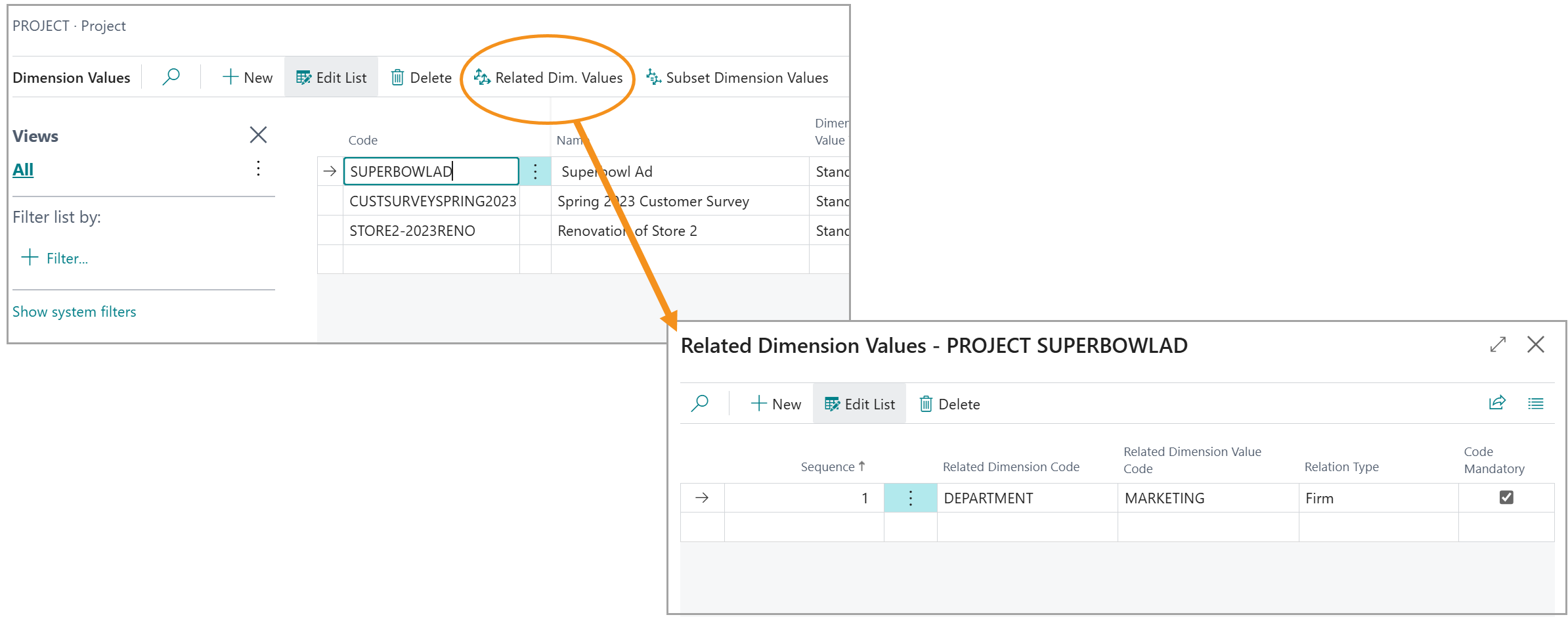
- Define relations between dimensions, whereby a value for one dimension can dictate value(s) for other dimensions
- For example, a Project dimension for SUPERBOWLAD could be defined with a relation the MARKETING Deparment (another dimension)
- With this structure, when the SUPERBOWLAD dimension is used anywhere, the Department will immediately be set to MARKETING and the user will be unable to change it (unless it is defined as being Flexible)
Relationships will cascade through multiple levels if defined – i.e. A value for Dimension A dictates a value for Dimension B which dictates a value for Dimension C
Dimension Subsets
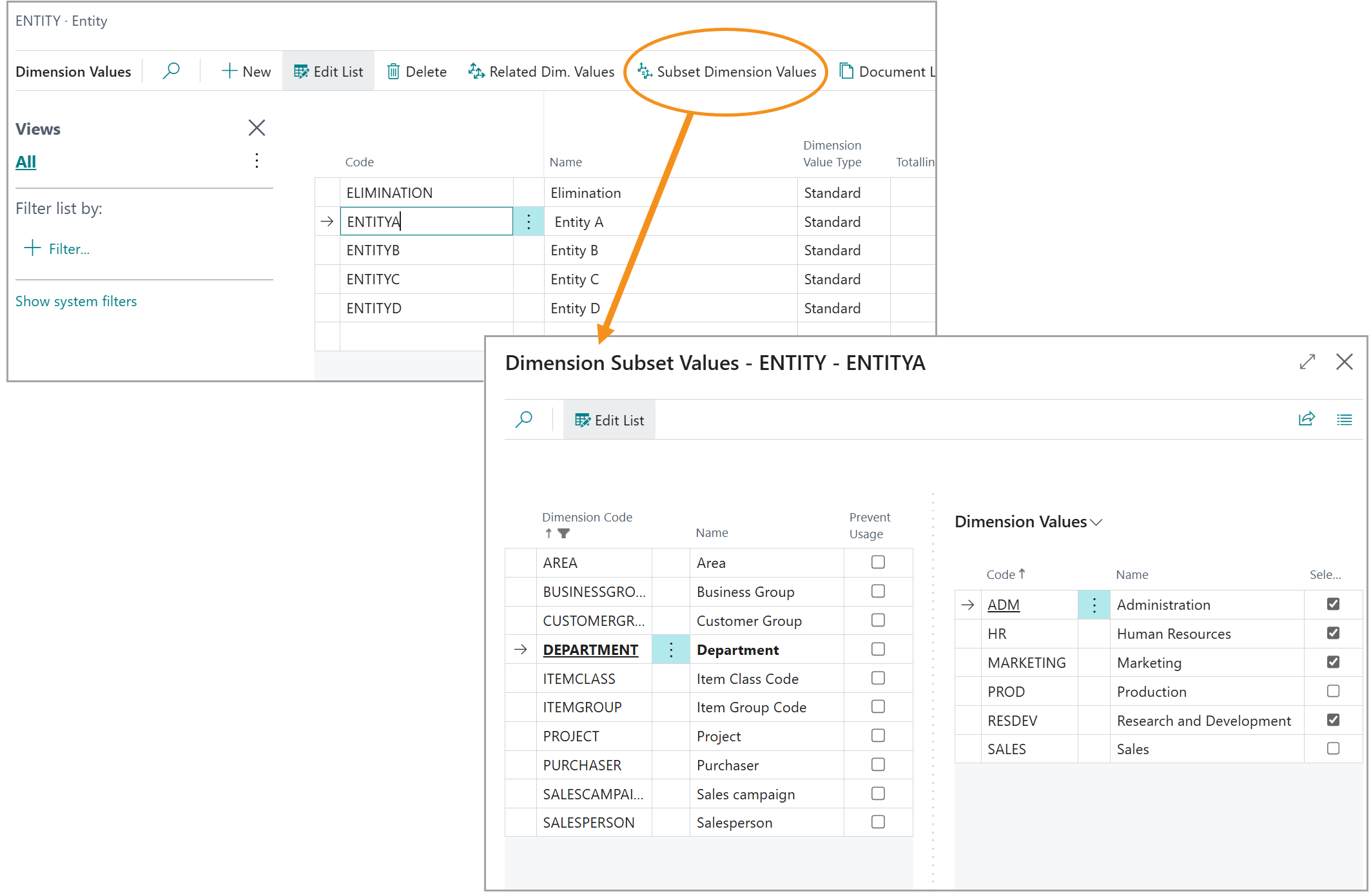
- Based on the value selected for one dimension, limit the options that are available for other dimension(s)
- When the dimension values list is opened from a master record or transaction, any invalid options (based on other dimension values) will be completely suppressed so the user only ever sees valid options and has no way to enter “bad” data
- Dimension value options can also be restricted based on MULTIPLE other dimension values
- If Dimension A is X and Dimension B is Y, then the values for Dimension C can be limited accordingly
- This functionality replaces Business Central dimension combinations as an option with more functionality and tighter controls (preventing invalid data entry up front)
Dimension Synchronization
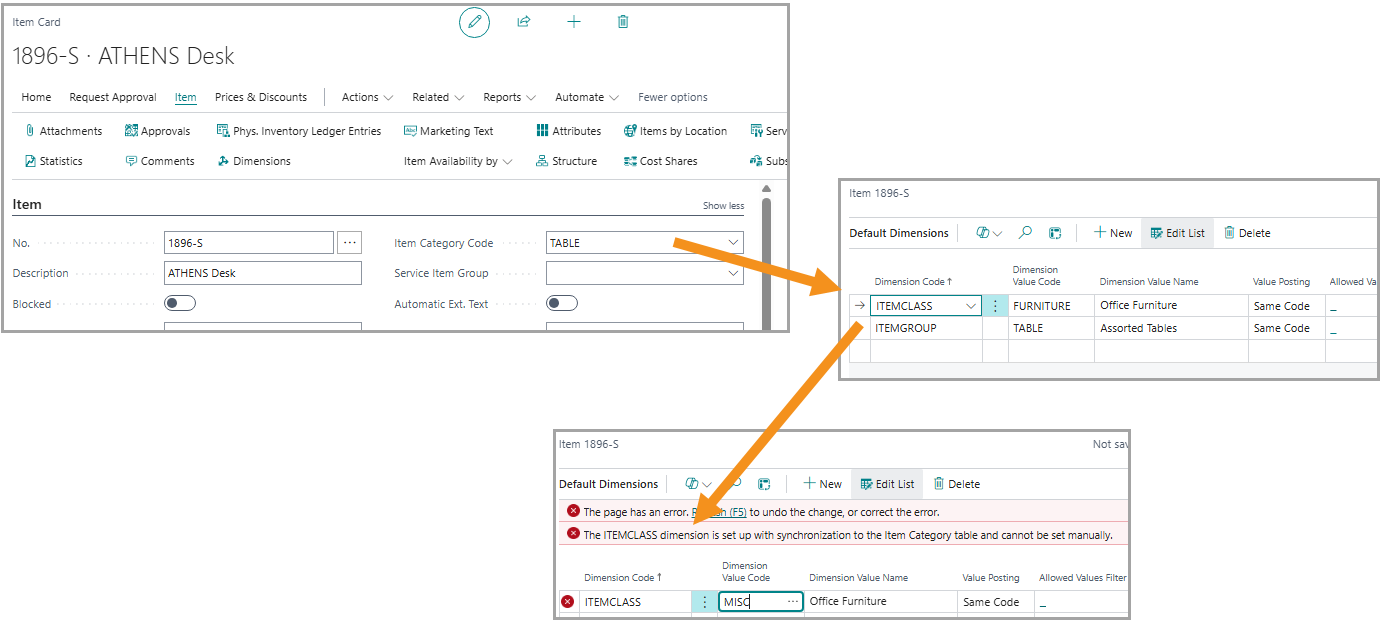
- Attach dimensions to master/supporting data within BC so that dimension values are automatically synchronized and attached
- As an example, the Project table could be linked to a dimension called PROJECT, so that every Project created in BC automatically has a matching dimension code defined and attached to the project as a default dimension that users cannot change/remove
- DimensionPath has special support here for Item Categories, where a multi-level hierarchy can have each level linked to a separate dimension
This enables items to be filtered by all levels of item categories, and carries every level (if defined) through to the G/L for analysis and reporting
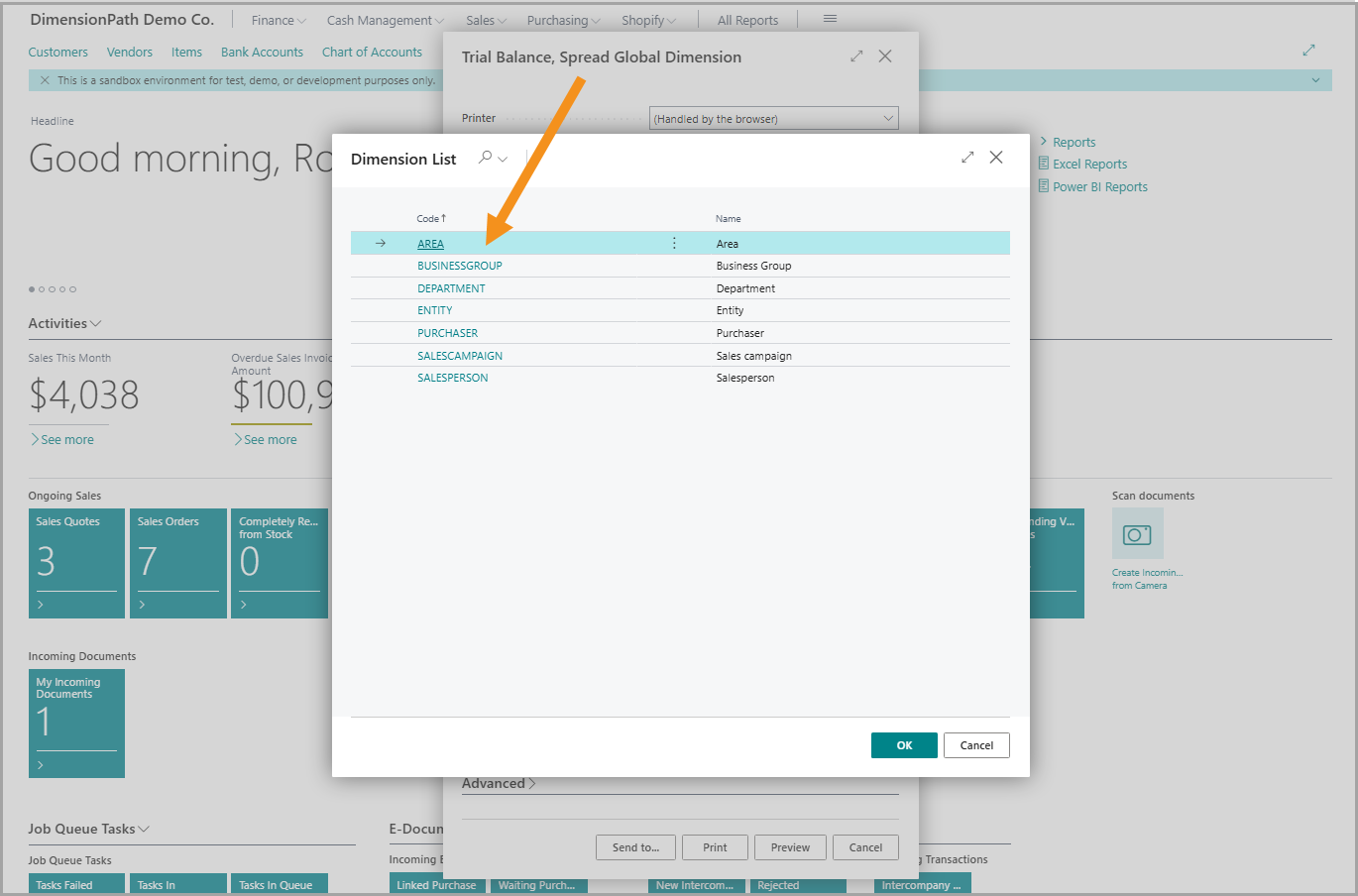
Report Enhancements
- A number of base reports have been extended or replaced to provide versions that support 8 global dimensions (eg. Trial)